
Monitoring and alerts
Keep the weather in view as the plan changes.
Your morning forecast is a starting point. 4070 connects the site forecast with radar, official warnings and location alerts so your team can keep checking the conditions behind the next decision.
Radar and observations
Follow the weather around the work.
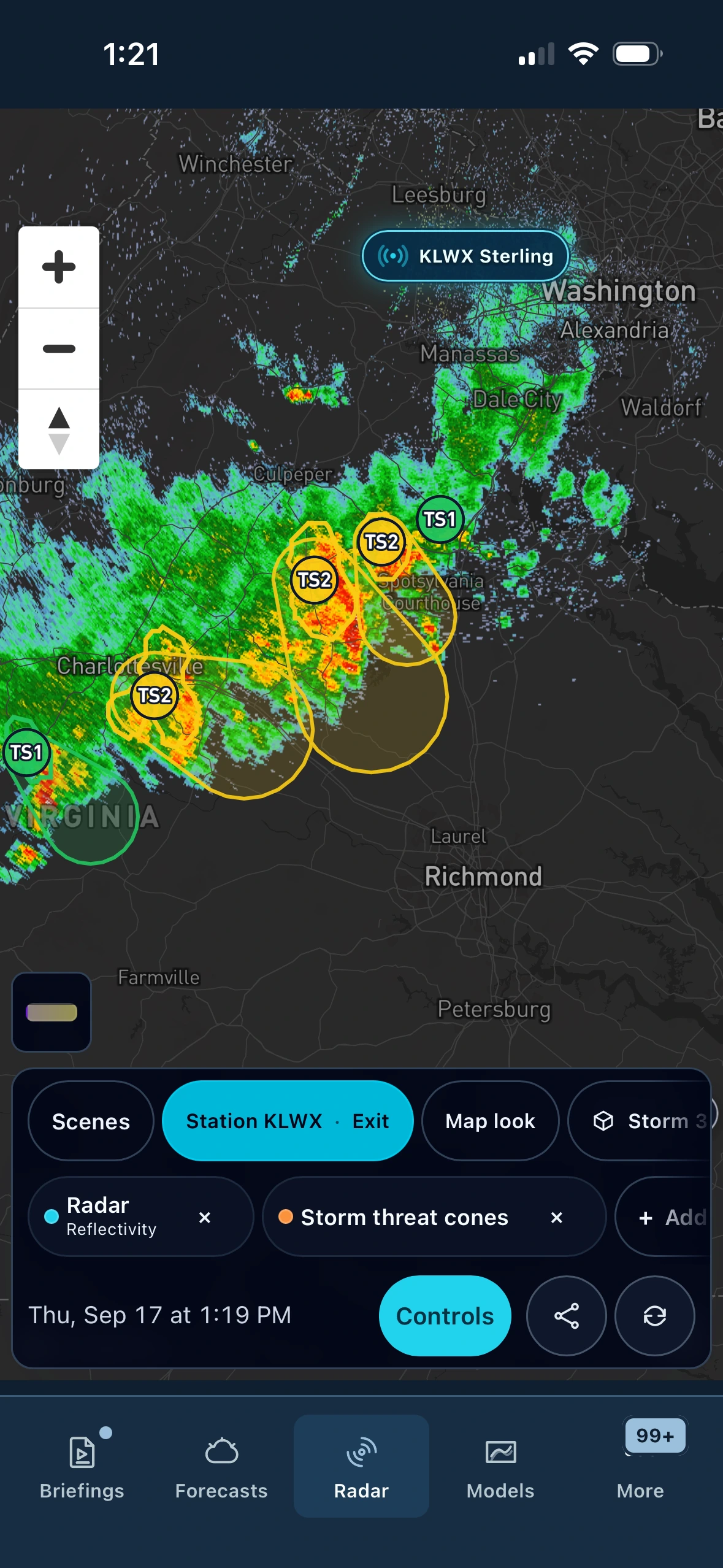
Track precipitation, inspect available lightning observations and keep official watch and warning areas on the map. Step through the radar timeline to see where precipitation has moved and distinguish observations from future frames.
- Return to a useful view
- Radar Scenes provide starting points for everyday, severe, winter and tropical weather. Save a scene with the available layers your team uses.
- Keep warning details close
- Open an official alert to review its area and timing alongside the location forecast.
- Inspect storm structure
- 4070 Storm 3D™ adds a vertical view of the selected radar area on supported devices when volume data is available.
Layers and source coverage vary by location and device. Map legends, frame times and source status give the view its context.
Location alerts
Focus attention on the places you operate.
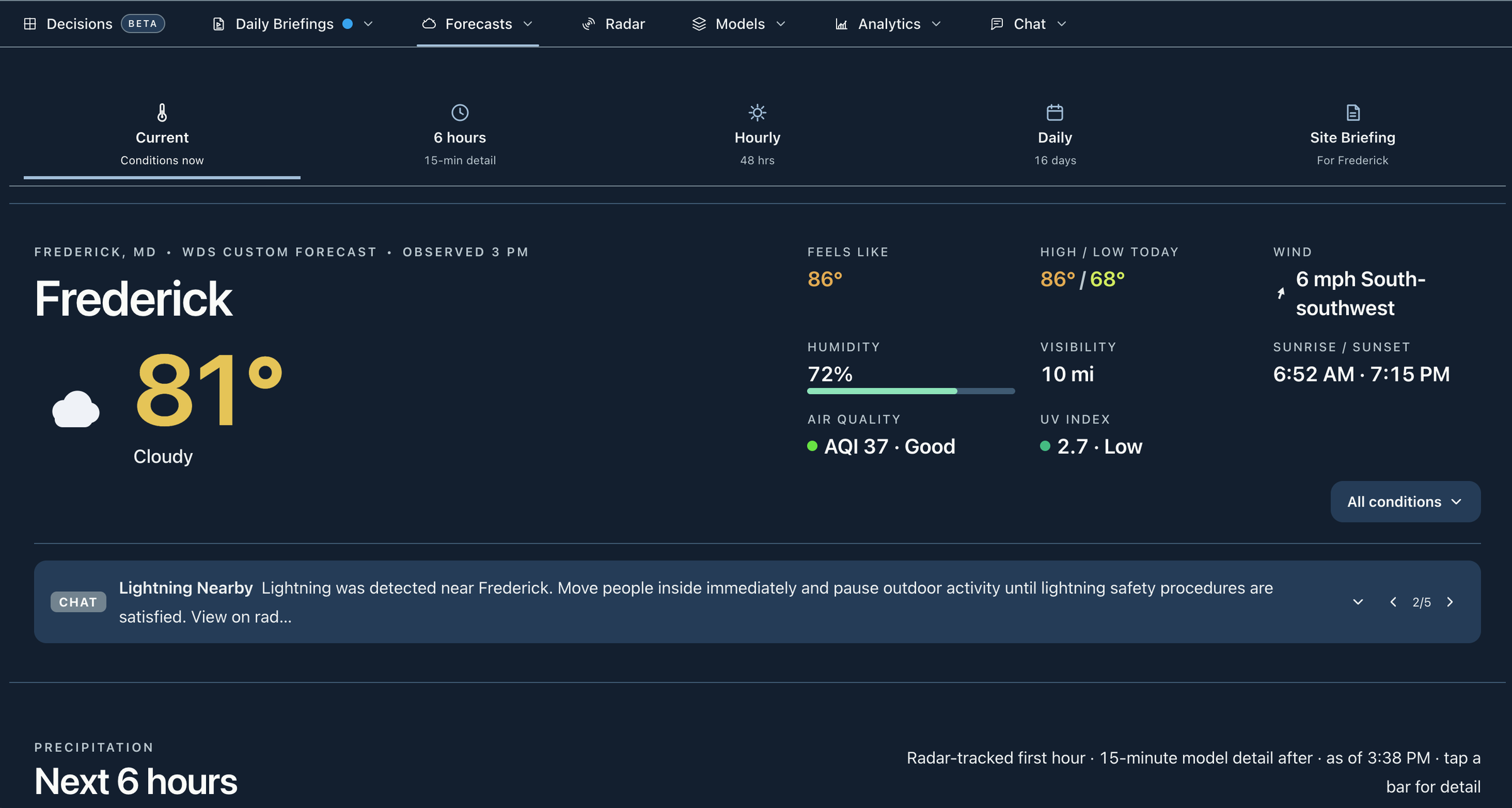
Choose the saved locations and weather alert types you follow. Nearby lightning alerts and official weather alerts sit alongside your forecast and shared communication, helping the team see what needs a closer look.
- Individual notification controls
- Each person chooses eligible alert types and locations, with device permission required for push notifications.
- A readable alert record
- Review weather alerts in the portal. Storm summary mode groups repeat notifications while tornado warnings still push individually.
- Forecast-change watches
- In Storm Watch, use My watches to follow a regional signal or a saved-location threshold, preview matches and review later activity. Personal watches do not automatically subscribe teammates.
Nearby lightning describes a detection near the location. An absence of detections is not an all-clear signal, and a forecast watch is different from an official warning.
The operational conversation
Give the team the same weather context.
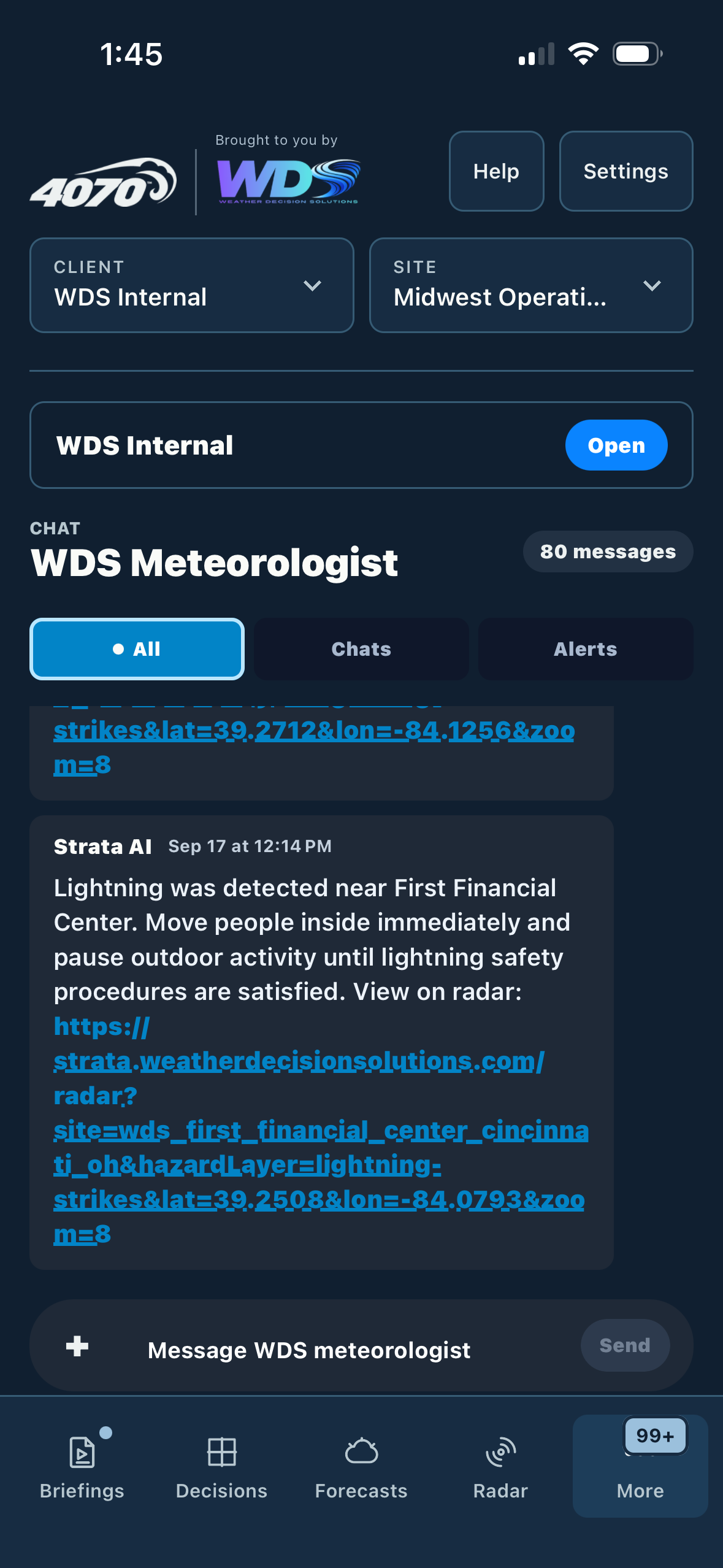
WDS can help connect changing conditions to the timing of your work, the people who need updates and the questions that require meteorologist judgment.
- Before the shift
- Review the site forecast, the weather window and the uncertainty that could change staffing or equipment plans.
- As conditions change
- Follow radar and alerts, check the latest briefing and use the workspace conversation available to your team.
- Before the next decision
- Discuss the weather questions with WDS under your agreed support coverage. Your team applies its operating and safety procedures.
WDS business services · Powered by 4070
Build a monitoring plan around your locations.
Tell us where you operate, which weather conditions change the job and how your team communicates. We will show you the relevant 4070 tools and WDS service options.
Your proposal defines included locations, reports, briefings and support coverage. Product access follows your workspace and service agreement.